

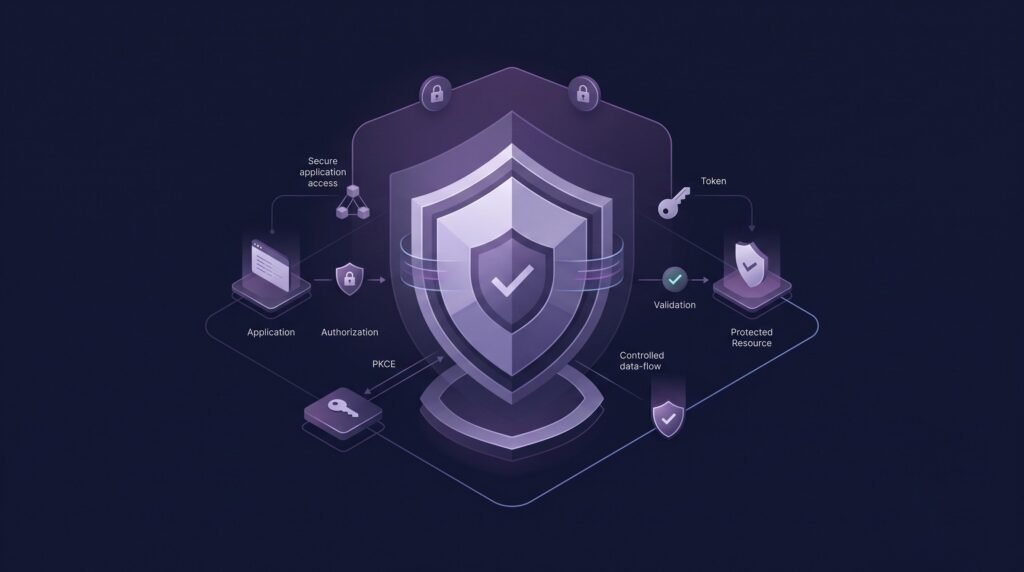
OAuth 2.0 lets one application obtain limited access to another service without handling the user’s password. A user approves a request, an authorization server issues tokens, and the client presents those tokens to an API. The core framework is defined in RFC 6749. Because it works across web apps, mobile apps, single-page apps, and backend services, it has become the standard way to delegate access to APIs.
OAuth 2.0 handles authorization, which decides what a client may do. Authentication proves who the user is. Many teams blur the two, and that confusion causes real problems.
The protocol is only as safe as the way you configure and use it. Weak redirect rules, missing PKCE, and careless token handling can undo the design. That is why OAuth 2.0 Security depends on implementation details, and why the IETF published RFC 9700, the Best Current Practice for OAuth 2.0 Security. It updates the older advice with lessons learned in the field.
This guide covers 10 common mistakes. Each section explains the mistake, its risk, a defensive example, and how to prevent it.
Why OAuth 2.0 Security Depends on Implementation
OAuth 2.0 defines roles and message flows. It does not guarantee that your client, authorization server, or API behaves safely.
Four layers decide the outcome:
- Flow choice: which grant type fits the client.
- Client configuration: redirect URIs, secrets, and scopes.
- Token handling: storage, lifetime, and validation.
- Server behavior: how the authorization server enforces its rules.
A mistake in any layer can expose tokens or widen access. The ten sections below follow this lifecycle.
Mistake 1: Using the Wrong OAuth 2.0 Flow
What It Means
OAuth 2.0 offers several grant types. Each suits a different kind of client. Picking the wrong one, or picking an outdated one, weakens the whole design.
Common modern choices include:
- Authorization Code flow with PKCE: for web apps, single-page apps, and mobile apps where a user signs in.
- Client Credentials: for machine-to-machine calls with no user involved.
- Device Authorization grant: for devices with limited input, such as smart TVs.
Why It Is Risky
Older patterns carry known weaknesses. RFC 9700 says clients should not use the implicit grant unless token leakage is otherwise mitigated. That grant returns access tokens in the authorization response, which exposes them to leakage and replay.
The same document says the resource owner password credentials grant must not be used. It gives the user’s password directly to the client. It also fails to work well with multi-factor authentication.
Example
A team builds a single-page app. They copy a tutorial that returns the access token in the URL fragment. The token now passes through browser history and page scripts. A safer design uses the authorization code flow with PKCE.
How to Prevent It
- Default to the authorization code flow for user sign-in.
- Add PKCE for every client type where the server supports it.
- Reserve client credentials for trusted backend services.
- Avoid the implicit and password grants in new designs.
- Read the grant guidance in RFC 9700 before choosing.
Mistake 2: Skipping PKCE Where It Is Needed
What It Means
PKCE (Proof Key for Code Exchange) binds an authorization request to the client that started it. RFC 7636 defines it. It uses two values:
- Code verifier: a random secret the client creates for each request.
- Code challenge: a value derived from the verifier. The client sends it in the authorization request.
Later, the client sends the verifier with the authorization code at the token endpoint. The server checks that the verifier matches the earlier challenge.
Why It Is Risky
Public clients cannot keep a secret. Native and browser apps fall into this group. Without PKCE, anyone who obtains an authorization code might redeem it. RFC 7636 describes this as the authorization code interception attack.
PKCE closes that gap. A stolen code is useless without the matching verifier.
Example
A mobile app registers a custom URL scheme to receive the authorization code. Another app on the same device may also claim that scheme. With PKCE, the second app cannot complete the exchange because it never saw the verifier.
How to Prevent It
- Require PKCE for all public clients. RFC 9700 states that public clients must use it.
- Use PKCE for confidential clients too. RFC 9700 recommends it.
- Use the
S256challenge method. RFC 9700 notes it is the only method that avoids exposing the verifier in the request. - Generate a fresh verifier for each authorization request.
- Configure the authorization server to enforce PKCE, not just accept it.
Mistake 3: Weak Redirect URI Validation
What It Means
After the user approves access, the authorization server sends the browser back to a redirect URI. The client registers this address in advance. The server must confirm that each request uses a registered address.
Why It Is Risky
Loose matching can send an authorization code or token to the wrong destination. RFC 9700 explains that pattern-based matching proved error-prone and led to successful attacks in the wild. Wildcards are especially hard to implement safely.
Open redirectors on a client site add more risk. An open redirector forwards the browser to any address named in a query parameter. RFC 9700 says clients and authorization servers must not expose them.
Example
A client registers https://*.example.com/* for convenience. A forgotten subdomain later falls under someone else’s control. The wildcard now trusts a destination the team never intended.
A safer registration lists exact addresses, such as https://app.example.com/oauth/callback.
How to Prevent It
- Register complete redirect URIs, not patterns.
- Compare URIs with exact string matching. RFC 9700 requires this, with one exception for variable ports on
localhostredirects in native apps. - Block redirect URIs that use plain
http, except loopback redirects for native apps. - Remove open redirectors from your client and server.
- Review and prune registered URIs regularly.
Mistake 4: Poor State Parameter Handling
What It Means
The state parameter is a value the client creates and sends in the authorization request. The server returns it unchanged in the response. The client then checks that the returned value matches the one it sent.
Why It Is Risky
Without this check, an attacker could trick a user’s browser into completing a flow the user never started. This is a form of cross-site request forgery (CSRF). The client could end up linked to the attacker’s account or data.
Predictable values weaken the check. A value an attacker can guess or reuse offers little protection.
Example
A client sends the same fixed string as state on every request. Anyone who learns it can reuse it. A better client generates a random value per request and stores it in the user’s session.
How to Prevent It
- Generate a long, random, single-use
statevalue per request. - Bind the value to the user’s browser session.
- Reject any response whose
statedoes not match. - Invalidate the value after first use.
- If you carry application data in
state, protect it against tampering.
RFC 9700 notes that PKCE can also provide CSRF protection when the authorization server supports it. In OpenID Connect flows, nonce plays a similar role. If you are unsure that your server supports PKCE, keep using state.
Mistake 5: Insecure Token Storage
What It Means
Access tokens and refresh tokens act like keys. Anyone holding a valid token can usually use it. Where and how you store tokens matters.
Why It Is Risky
Refresh tokens are especially valuable. RFC 9700 notes that they represent the full scope granted to a client. An attacker who replays a stolen refresh token can mint new access tokens.
Storage by Application Type
Web and browser-based apps
- Scripts running on the page can read data in browser storage. A cross-site scripting (XSS) flaw can therefore expose tokens.
- Many teams keep tokens on a server and give the browser only a protected session cookie. This is often called a backend-for-frontend pattern.
- Avoid placing tokens in URLs. RFC 9700 says clients must not pass access tokens in a query parameter.
Mobile apps
- Use the platform’s secure storage, such as the iOS Keychain or the Android Keystore.
- Avoid plain files, shared preferences, logs, and backups that hold raw tokens.
Backend applications
- Keep tokens and client secrets in a secrets manager or encrypted store.
- Never write tokens to logs or error messages.
- RFC 9700 says resource servers must not store or transfer access tokens in plaintext.
Example
A mobile app writes its refresh token to an unencrypted file. A device backup then copies that file elsewhere. Moving the token to platform secure storage removes that exposure.
How to Prevent It
- Store the minimum number of tokens for the minimum time.
- Prefer short-lived access tokens and protect refresh tokens more strictly.
- Use refresh token rotation or sender-constrained tokens for public clients.
- Consider DPoP or mutual TLS to make stolen tokens harder to reuse.
Mistake 6: Overly Long-Lived Access or Refresh Tokens
What It Means
Every token has a lifetime. A longer lifetime gives an attacker a longer window to misuse a stolen token.
Why It Is Risky
Bearer tokens work for whoever presents them. A leaked token stays useful until it expires or someone revokes it. Short access tokens reduce that window. RFC 9700 observes that refresh tokens let servers issue short-lived access tokens with reduced scope, which limits the impact of leakage.
Balancing Usability and Security
No single lifetime fits every app. A banking app and a casual game have different risk levels. Consider:
- How sensitive the data is.
- Whether the client is public or confidential.
- How often users can tolerate signing in again.
- Whether you can revoke tokens quickly.
Example
An API issues access tokens that stay valid for weeks. A token leaked in a log file remains usable all that time. Shorter access tokens, paired with a protected refresh token, shrink the exposure.
How to Prevent It
- Set lifetimes based on a risk assessment, not a default value.
- Keep access tokens short-lived.
- Expire refresh tokens after inactivity. RFC 9700 says they should expire if a client stays idle for some time.
- Rotate refresh tokens or bind them to a client key.
- Build revocation into the design from the start.
Mistake 7: Excessive OAuth Scopes
What It Means
OAuth scopes describe what access a token grants. Excessive scopes give a client more power than it needs.
Why It Is Risky
A token with broad permissions turns a small leak into a large incident. RFC 9700 says access token privileges should be restricted to the minimum required. It adds that doing so also reduces the impact of token leakage.
Broad scopes also hurt users. People may approve a request without understanding its reach.
Example
The names below are illustrative.
| Approach | Scope example | Result |
|---|---|---|
| Narrow | invoices.read |
The app can only view invoices. |
| Narrow | calendar.events.create |
The app can only add calendar events. |
| Overly broad | full_access |
The app can read and change almost everything. |
A reporting tool that only displays invoices should request invoices.read. It should not request full account access.
How to Prevent It
- Design scopes around specific resources and actions.
- Request only the scopes the feature needs right now.
- Ask for extra scopes later, when the user triggers a feature that needs them.
- Restrict tokens to specific APIs. RFC 9700 recommends audience restriction.
- Review granted scopes regularly and remove unused ones.
Mistake 8: Failing to Validate Tokens Properly
What It Means
An API that receives a token must confirm it is genuine and meant for that API. Many APIs receive JSON Web Tokens (JWTs). A JWT is a signed data format. OAuth 2.0 does not require access tokens to be JWTs, so OAuth, OpenID Connect, and JWT are three separate things.
Why Decoding Is Not Validating
Anyone can decode a JWT. The payload is only encoded, not secret. Decoding shows the contents but proves nothing about authenticity. Validation means checking that the token is trustworthy.
What a Resource Server Should Check
- Signature: verify it with the issuer’s trusted keys.
- Algorithm: RFC 9068 says JWT access tokens must be signed and must not use
noneas the algorithm. - Issuer (
iss): confirm the expected authorization server issued it. - Audience (
aud): confirm the token was meant for your API. - Expiration (
exp): reject expired tokens. - Scope and permissions: confirm the token allows the requested action.
- Token type: confirm the token is an access token, not an ID token or another JWT.
Example
An API decodes a JWT and reads the sub claim, but never checks the signature. Anyone who crafts a token with any sub value could be accepted. Proper validation rejects it.
How to Prevent It
- Use a well-maintained library, and configure it explicitly.
- Fix the list of accepted signing algorithms.
- Fetch signing keys from the issuer’s published metadata.
- Validate on every request.
- If tokens are opaque, use the authorization server’s introspection endpoint.
Mistake 9: Confusing OAuth 2.0 With Authentication
What It Means
OAuth 2.0 delegates access. It does not, by itself, tell an application who the user is. OpenID Connect adds that layer. Its specification describes it as a simple identity layer on top of OAuth 2.0.
Access Tokens Versus ID Tokens
| Token | Purpose | Intended audience |
|---|---|---|
| Access token | Grants access to an API | The resource server |
| ID token | Carries claims about the authentication event | The client application |
An access token is meant for the API. The client should treat it as opaque and should not rely on its contents.
Why It Is Risky
Treating a possession of an access token as proof of identity creates gaps. The token might have been issued to a different client or for a different purpose. RFC 9700 describes a related concern, where a resource server mistakes a client’s identity for a user’s identity.
Example
A login feature accepts any valid access token as proof that a user signed in. A token issued to another app could then log someone in. With OpenID Connect, the client validates an ID token meant for itself.
How to Prevent It
- Use OpenID Connect when you need to sign users in.
- Validate the ID token’s issuer, audience, expiry, and
nonce. - Use access tokens only to call APIs.
- Never send ID tokens to APIs as access credentials.
- Keep user identifiers and client identifiers clearly separate.
Mistake 10: Poor Token Revocation, Rotation, and Monitoring
What It Means
Issuing tokens safely is only the first step. You also need to retire them, rotate them, and watch how they behave.
Why OAuth 2.0 Security Needs Lifecycle Management
Tokens can leak despite good design. When that happens, you need ways to limit the damage and notice the problem. Without them, a stolen token may stay active and unnoticed.
Key Controls
Revocation and session termination
- Revoke tokens when a user logs out, resets a password, or removes an app.
- RFC 9700 notes that servers may revoke refresh tokens after events such as a password change or logout.
- End related sessions at the same time.
Refresh token rotation
- The server issues a new refresh token with each refresh and invalidates the old one.
- If both an attacker and the real client use the same old token, the server detects reuse. It can then revoke the active token.
- RFC 9700 requires public clients to use either rotation or sender-constrained refresh tokens.
Logging and monitoring
- Log authorization grants, token issuance, refresh events, and failures.
- Never log the token values themselves.
- Watch for unusual patterns, such as refresh from new locations, repeated invalid code use, or sudden scope changes.
- Prepare incident response steps for mass token revocation.
For a broader checklist on logging and alerting, see Cybknow’s guide to the OWASP Top 10 vulnerabilities in 2026. It includes logging authentication events and access control failures.
Example
A security team notices one refresh token used from two distant networks within minutes. Rotation flags the reuse, the server revokes the token family, and the user must sign in again. The incident ends quickly.
How to Prevent It
- Offer and test token revocation.
- Rotate refresh tokens for public clients, or bind them to a key.
- Centralize and protect authorization logs.
- Alert on abnormal token behavior.
- Rehearse your response before an incident.
Summary of the 10 OAuth 2.0 Security Mistakes
| # | OAuth 2.0 Security Mistake | Main Risk | Recommended Defense |
|---|---|---|---|
| 1 | Wrong OAuth 2.0 flow | Token leakage, weak user protection | Authorization code flow with PKCE |
| 2 | Skipping PKCE | Authorization code interception | Enforce PKCE with S256 |
| 3 | Weak redirect URI validation | Codes or tokens sent to wrong destination | Exact-match registered URIs |
| 4 | Poor state handling |
Cross-site request forgery | Random, single-use, session-bound value |
| 5 | Insecure token storage | Token theft and replay | Platform-appropriate secure storage |
| 6 | Overly long-lived tokens | Long exposure window | Risk-based lifetimes, refresh controls |
| 7 | Excessive scopes | Larger impact from leaks | Least-privilege, audience-restricted tokens |
| 8 | Improper token validation | Forged or misused tokens | Verify signature, iss, aud, exp |
| 9 | Confusing OAuth with authentication | Account confusion | Use OpenID Connect and ID tokens |
| 10 | Weak revocation and monitoring | Undetected, persistent access | Revocation, rotation, logging, alerts |
OAuth 2.0 Security Best Practices
These practices come from the mistakes above. Tune each one to your own risk level, since no setting fits every application.
- Use modern flows. Choose the authorization code flow for user sign-in and avoid deprecated grants.
- Use PKCE. Require it for public clients and adopt it for confidential clients.
- Validate redirect URIs strictly. Register exact addresses and remove open redirectors.
- Protect
state. Generate random, single-use values tied to the session. - Store tokens securely. Match storage to the platform: web, mobile, or backend.
- Set appropriate lifetimes. Base expiry on sensitivity and client type.
- Apply least-privilege scopes. Request only what the feature needs.
- Validate tokens correctly. Check signature, issuer, audience, expiry, and type.
- Separate authentication from authorization. Use OpenID Connect for identity.
- Rotate or revoke tokens. Retire tokens when risk changes.
- Monitor authorization activity. Log events and alert on anomalies.
- Keep libraries updated. Patch OAuth libraries and dependencies promptly.
- Follow current guidance. Review RFC 9700 as it evolves, since OAuth 2.1 is expected to incorporate its recommendations.
Conclusion
OAuth 2.0 gives developers a strong framework for delegated access. It does not make an application safe on its own. Strong OAuth 2.0 Security comes from many careful decisions that work together.
Choose secure authorization flows and use PKCE. Validate redirect URIs exactly. Protect tokens in storage and in transit. Keep scopes narrow and validate every token your API receives. Use OpenID Connect when you need identity, and manage the full token lifecycle with revocation, rotation, and monitoring.
Start by auditing your current setup against the ten mistakes above. Fix the highest-risk gaps first, then review your configuration regularly as standards evolve.
Frequently Asked Questions
What is OAuth 2.0 Security?
OAuth 2.0 Security is the practice of implementing OAuth 2.0 so that tokens, redirects, and permissions stay protected. It covers flow selection, PKCE, redirect validation, token storage, scope design, and monitoring. Current guidance appears in RFC 9700, which updates earlier OAuth security advice.
What are the most common OAuth 2.0 security mistakes?
Common mistakes include using outdated flows, skipping PKCE, loose redirect URI matching, weak state handling, and insecure token storage. Others include long-lived tokens, excessive scopes, poor token validation, mixing up authentication and authorization, and weak revocation and monitoring.
Is OAuth 2.0 used for authentication or authorization?
OAuth 2.0 is primarily an authorization framework. It lets a client obtain limited access to a resource. To authenticate users, applications typically add OpenID Connect, which provides ID tokens that describe the sign-in event. Access tokens should not serve as proof of identity.
Why is PKCE important for OAuth 2.0 Security?
PKCE ties an authorization code to the client that requested it. A stolen code cannot be redeemed without the matching code verifier. RFC 9700 requires PKCE for public clients and recommends it for confidential clients, making it a core part of OAuth 2.0 Security.
How should OAuth access tokens be protected?
Store tokens using platform-appropriate secure storage and send them only over encrypted connections. Keep lifetimes short, restrict tokens to specific APIs and scopes, and never log them. For higher-risk systems, consider sender-constrained tokens using DPoP or mutual TLS.
What is the difference between OAuth 2.0 and OpenID Connect?
OAuth 2.0 handles delegated authorization through access tokens. OpenID Connect builds an identity layer on top of it and adds ID tokens, which tell a client who the user is and how they authenticated. Many apps use both together.
Why should OAuth scopes follow the principle of least privilege?
Narrow scopes limit what a leaked token can do. RFC 9700 recommends restricting token privileges to the minimum required, which reduces the impact of token leakage. Narrow scopes also make consent screens clearer for users.