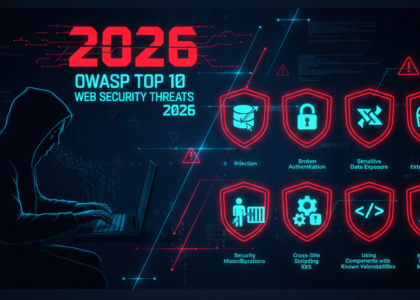
The alarming reality is that 94% of web applications have security vulnerabilities that could expose sensitive data or enable unauthorized access. Understanding OWASP Top 10 vulnerabilities is no longer optional for anyone responsible for web application security in 2026. The Open Web Application Security Project (OWASP) represents the global standard for identifying and addressing the most critical web security risks. This comprehensive guide covers the OWASP Top 10 2021 edition with real-world examples that demonstrate exactly how these attacks work. Whether you’re a developer, security professional, IT manager, or business owner, understanding these vulnerabilities is essential for protecting your applications and user data in today’s increasingly dangerous threat landscape. The evolving cybersecurity threats in 2025 make understanding these vulnerabilities even more critical.
What is OWASP and the Top 10 List?
OWASP is a non-profit foundation dedicated to improving software security worldwide. The OWASP Top 10 list is published every three to four years based on comprehensive data from security experts and organizations globally. This authoritative framework represents a consensus on the most critical web application security vulnerabilities that pose the greatest risks to organizations. Developers, security teams, compliance auditors, and penetration testers rely on the OWASP Top 10 for security audits, application security testing, and implementing secure development practices. At Cybknow, a leading cybersecurity company in Bhubaneswar, we use the OWASP Top 10 as the foundation for our comprehensive VAPT (Vulnerability Assessment and Penetration Testing) audits, ensuring applications meet industry security standards.
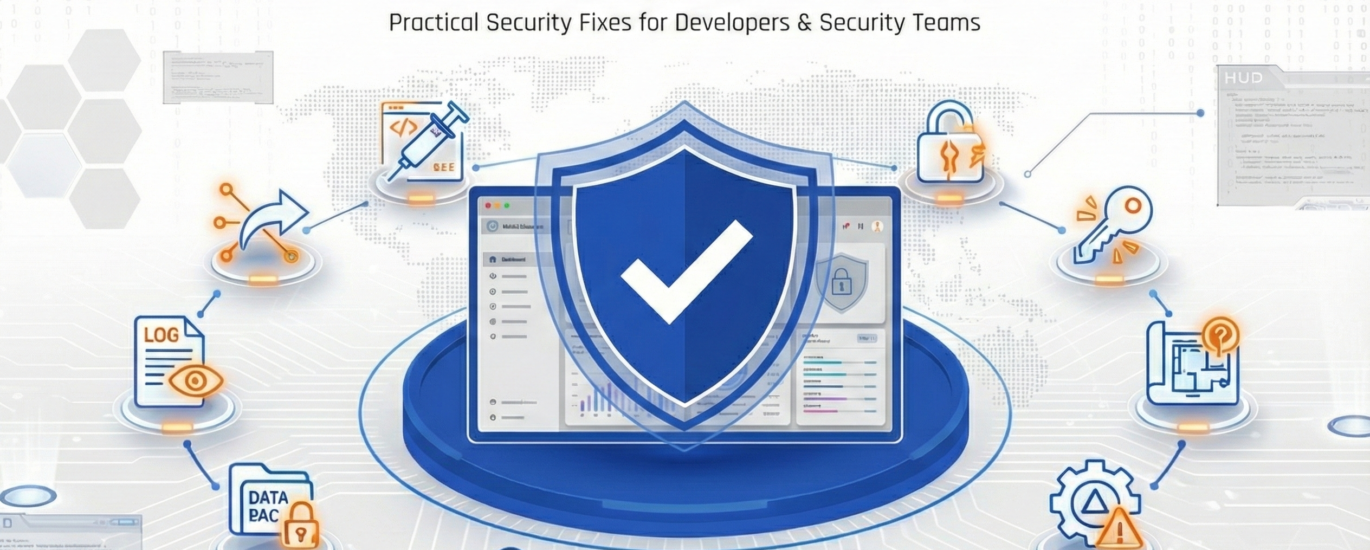
How to Fix OWASP Top 10 Vulnerabilities: A Developer’s Complete Guide
The OWASP Top 10 is the globally recognized standard for identifying the most critical security risks to web applications. Consequently, remediating these risks is not optional it is a baseline expectation for any production-grade application. The following sections cover each category with specific, technical fixes your team can implement today.
OWASP Top 10 Vulnerabilities Explained with Real Examples
1. Broken Access Control
- What it is: Broken access control occurs when users can access unauthorized data or perform functions beyond their permissions by manipulating URLs, IDs, or authentication tokens.
- Real Example: An e-commerce customer changes their order ID in the URL from
/order/1234to/order/1235and successfully views another customer’s complete order details, including personal address and payment information. - Impact: Data breaches, unauthorized modifications, privilege escalation, and exposure of sensitive customer information.
- Prevalence: This vulnerability is found in approximately 94% of applications tested, making it the most common security risk.
How to Fix It
Enforce server-side access checks. Client-side restrictions must never be trusted alone. Access control rules should be enforced on the server side for every request, not just at the UI level.
- Implement the principle of least privilege: every user, service, and API key should have the minimum permissions required.
- Use a centralized authorization library or middleware (e.g., Casbin, Spring Security) rather than scattering permission checks throughout your code.
- Deny access by default. If no rule explicitly grants access, it should be denied.
- Invalidate session tokens and JWTs immediately upon logout.
- Log all access control failures and alert on repeated violations these patterns are indicative of probing attacks.
For further reference, the OWASP Broken Access Control page and CWE-284 provide comprehensive guidance.
2. Cryptographic Failures (formerly Sensitive Data Exposure)
- What it is: Weak encryption, missing encryption, or improper implementation of cryptographic controls that expose sensitive data during transmission or storage.
- Real Example: A healthcare portal transmits patient medical records over HTTP instead of HTTPS. An attacker on the same public WiFi network intercepts network traffic and reads confidential health information, including diagnoses and treatment plans.
- Impact: Identity theft, financial fraud, privacy violations, and substantial regulatory fines under GDPR or India’s Digital Personal Data Protection Act. While businesses face these risks, individuals should also understand how to protect their personal data from hackers.
- Prevalence: Cryptographic failures are detected in approximately 80% of applications during security assessments.
How to Fix It
-
Use bcrypt, Argon2, or scrypt for password hashing. MD5 and SHA-1 must never be used for passwords. Encryption keys should be rotated regularly to limit the blast radius of a key compromise.
# Python example using bcrypt
import bcrypt

password = b"user_password"
hashed = bcrypt.hashpw(password, bcrypt.gensalt(rounds=12))
# Store 'hashed' in your database, never the plain password- Enforce TLS 1.2 or higher for all connections. HTTP should be redirected to HTTPS without exception.
- Sensitive data must not be cached or stored in browser history. Add appropriate
Cache-Control: no-storeheaders. - Do not use ECB mode for block ciphers. AES-GCM is the recommended mode for symmetric encryption.
The NIST Cryptographic Standards and Guidelines and CWE-327 are authoritative references for cryptographic best practices.
3. Injection (SQL, NoSQL, LDAP, OS Command)
- What it is: Malicious code or commands inserted through user input fields when applications fail to properly validate, sanitize, or escape data.
- Real Example: A hacker enters
' OR '1'='1into a login form’s password field. This SQL injection statement bypasses authentication logic and grants immediate access to the admin dashboard without requiring valid credentials. - Impact: Complete database compromise, unauthorized data access, data deletion, server takeover, and potential deployment of malware.
- Prevalence: Injection remains the most common attack vector, found in approximately 70% of web applications tested globally.
How to Fix It
Parameterized queries (prepared statements) are the primary defense against SQL injection. User-supplied input must never be concatenated directly into a query.
# Python UNSAFE (never do this)
query = "SELECT * FROM users WHERE username = '" + username + "'"

# Python SAFE with parameterized query
cursor.execute("SELECT * FROM users WHERE username = %s",(username,))// Java SAFE with PreparedStatement
PreparedStatement stmt = conn.prepareStatement(
"SELECT * FROM users WHERE username = ?"
);
stmt.setString(1, username);- Use an ORM (Django ORM, Hibernate, Sequelize) to abstract raw SQL wherever possible.
- Input validation must be enforced on the server side using an allow list approach accept only known-good input patterns.
- Apply the principle of least privilege to database accounts. Application users should not have
DROPorALTERpermissions.
Consult OWASP’s Injection Prevention Cheat Sheet and CWE-89 for deeper coverage.
4. Insecure Design
- What it is: Fundamental security flaws embedded in the application architecture and design phase, representing missing or ineffective security controls rather than implementation bugs.
- Real Example: A mobile banking app allows unlimited login attempts without rate limiting or account lockout mechanisms. Hackers deploy automated bots that try millions of password combinations until they successfully breach customer accounts.
- Impact: Business logic bypass, fraud, system abuse, and exploitation that cannot be fixed through patching alone.
- New in 2021: This category emphasizes the critical importance of integrating security considerations from the initial design phase.
How to Fix It
- Adopt threat modeling early in the development lifecycle using frameworks like STRIDE or PASTA.
- Implement security user stories and abuse cases alongside functional requirements.
- Enforce resource limits and rate limiting at the design level to prevent abuse scenarios (e.g., brute-force attacks on login endpoints).
- Conduct design reviews with security engineers before any major feature goes into development.
This is where the concept of “Shift Left” security begins. Building security into the design phase is exponentially cheaper than remediating vulnerabilities post-deployment. To understand how businesses approach this systematically, see our VAPT Audit Guide for Businesses 2026.
5. Security Misconfiguration
- What it is: Improperly configured security settings, unnecessary features enabled, default passwords unchanged, or verbose error messages revealing system information.
- Real Example: A company’s web server uses default
admin/admincredentials and displays detailed stack traces when errors occur, revealing the exact framework version. Attackers exploit publicly known vulnerabilities specific to that outdated version. - Impact: Full system compromise, information leakage, unauthorized access, and potential lateral movement within networks.
- Prevalence: Security misconfigurations are discovered in approximately 90% of applications during penetration testing engagements.
How to Fix It
- Disable or remove all unnecessary features, services, ports, and accounts. Default credentials must be changed before any system is deployed to production.
- Set security headers on every HTTP response:
Strict-Transport-Security: max-age=63072000; includeSubDomains
X-Content-Type-Options: nosniff
X-Frame-Options: DENY
Content-Security-Policy: default-src 'self'
Referrer-Policy: no-referrer- Automate configuration audits using tools like ScoutSuite for cloud environments or Lynis for servers.
- Ensure error messages returned to users do not expose stack traces, server versions, or internal paths. Verbose errors should be logged internally, never displayed publicly.
See CWE-16 and the OWASP Security Misconfiguration page for additional detail.
6. Vulnerable and Outdated Components
- What it is: Using software libraries, frameworks, plugins, or dependencies with known security flaws or missing security patches.
- Real Example: A WordPress site runs a three-year-old plugin with a critical remote code execution vulnerability. Automated bots continuously scan the internet, identify this vulnerable site, and inject cryptocurrency mining malware that consumes server resources.
- Impact: Remote code execution, complete website takeover, data theft, and serving malware to legitimate visitors.
- Common in: Research indicates 84% of applications use at least one component with known vulnerabilities.
How to Fix It
- Maintain a Software Bill of Materials (SBOM) a complete inventory of all components and their versions.
- Integrate Software Composition Analysis (SCA) tools such as OWASP Dependency-Check, Snyk, or Dependabot directly into your CI/CD pipeline. Dependencies must be continuously monitored for new CVEs.
- Remove unused dependencies. Every unused library is unnecessary attack surface.
- Subscribe to security advisories for your core frameworks (e.g., Django Security, Spring Security Advisories).
In addition, review the NIST National Vulnerability Database (NVD) regularly and subscribe to alerts for your technology stack.
7. Identification and Authentication Failures
- What it is: Weak password policies, missing multi-factor authentication, improper session management, or flawed credential recovery mechanisms.
- Real Example: A social media platform allows weak passwords like
password123and stores session tokens directly in URLs. An attacker uses credential stuffing attacks with previously leaked passwords and hijacks thousands of user accounts within hours. - Impact: Account takeover, identity theft, unauthorized access to sensitive resources, and potential lateral movement.
-
Prevention: Implementing multi-factor authentication can reduce account compromise risk by 99.9% according to industry research.
How to Fix It
- Enable Multi-Factor Authentication (MFA) for all user accounts, especially privileged ones. This single control defeats the vast majority of credential-based attacks.
- Enforce strong password policies. Passwords should be checked against known-breached lists using services like HaveIBeenPwned.
- Implement rate limiting and account lockout on login endpoints to prevent brute-force and credential stuffing attacks.
- Session tokens must be invalidated on logout, and session lifetimes should be appropriately short for sensitive applications.
- Avoid exposing session IDs in URLs. Cookies must be set with
HttpOnly,Secure, andSameSite=Strictflags.
Set-Cookie: sessionId=abc123; HttpOnly; Secure; SameSite=Strict; Path=/For comprehensive coverage, consult the OWASP Authentication Cheat Sheet and CWE-287.
8. Software and Data Integrity Failures
- What it is: Code or data modified without proper verification, insecure CI/CD pipelines, or applications accepting updates from untrusted sources.
- Real Example: An application automatically downloads and installs updates from an unsecured update server. Hackers compromise the update distribution server and distribute a malicious version containing backdoors that install on all client systems.
- Impact: Supply chain attacks, widespread compromise across entire user bases, and persistent backdoor access.
- New in 2021: This category specifically addresses modern threats related to CI/CD pipeline security and software supply chains.
How to Fix It
- Sign all software releases and updates using tools like Sigstore or GPG. Software integrity should be verified before installation or execution.
- Secure your CI/CD pipeline: restrict write access to build systems, rotate secrets, and audit pipeline configurations regularly.
- Do not deserialize data from untrusted sources without strict type constraints and integrity checks. Where possible, prefer safer serialization formats like JSON over formats that support arbitrary object instantiation (e.g., Java’s native serialization).
- Use a Content Security Policy (CSP) to restrict which scripts are allowed to execute in your application’s browser context, mitigating XSS-driven integrity attacks.
The OWASP Deserialization Cheat Sheet and CWE-502 provide further technical guidance.
9. Security Logging and Monitoring Failures
- What it is: Insufficient logging, monitoring, and alerting mechanisms that prevent timely detection of security breaches and incidents.
- Real Example: A company’s system suffers a data breach but maintains minimal security logs. The attacker operates completely undetected for eight months, continuously exfiltrating customer data. When finally discovered, there’s insufficient forensic evidence to determine breach scope or methodology.
- Impact: Extended breach duration, regulatory penalties, inability to conduct forensic investigations, and unknown scope of compromise.
- Statistics: Industry research shows the average data breach goes undetected for 212 days before discovery.
How to Fix It
- Log all authentication events (successes and failures), access control failures, and input validation errors. Log entries must include timestamps, source IP, user identity, and the affected endpoint.
- Centralize logs using a SIEM (Security Information and Event Management) solution such as Splunk, Elastic Security, or Datadog. Alerts should be configured and tested, not merely set up and forgotten.
- Protect log integrity logs must be stored in an append-only format, and write access should be restricted so that attackers cannot erase their tracks.
- Conduct regular incident response drills to ensure your monitoring pipeline can detect, alert, and respond to known attack patterns in a timely manner.
As AI-driven cyber threats become more sophisticated, intelligent monitoring and anomaly detection are no longer optional they are a critical layer of defense.
10. Server-Side Request Forgery (SSRF)
- What it is: Exploiting application functionality to force the server to make HTTP requests to unintended internal or external locations.
- Real Example: An image upload feature accepts image URLs as input. An attacker provides an internal URL like
http://localhost/adminforcing the server to fetch internal admin pages and expose them externally, bypassing network security controls. - Impact: Internal network scanning, cloud metadata exposure (AWS credentials), access to internal systems, and bypassing firewalls.
- New in 2021: SSRF attacks have become increasingly common as organizations migrate to cloud
infrastructure.
How to Fix It
- Validate and sanitize all user-supplied URLs. Only allow requests to explicitly allowlisted domains and IP ranges.
- Block requests to private IP ranges (RFC 1918:
10.x.x.x,172.16.x.x,192.168.x.x) and loopback addresses (127.0.0.1,::1) at the network layer. - Disable HTTP redirects when making server-side requests, or validate each redirect destination against the allowlist.
- Segment your internal network so that even if SSRF occurs, the attacker cannot reach sensitive internal services such as the AWS metadata endpoint (
169.254.169.254). - Response data from server-side fetches must never be forwarded to the client without sanitization.
See CWE-918 and the OWASP SSRF Prevention Cheat Sheet for complete mitigation guidance.
How to Protect Your Applications from OWASP Top 10 Vulnerabilities
Protecting against OWASP security risks requires implementing comprehensive web security best practices throughout the software development lifecycle. Organizations should conduct regular VAPT audits to identify vulnerabilities before attackers exploit them. Implement a secure SDLC (Software Development Lifecycle) that incorporates security from the initial design phase. Use parameterized queries and prepared statements to prevent injection attacks. Keep all software, libraries, and dependencies updated with monthly security patches. Enforce strong authentication mechanisms including multi-factor authentication, password complexity requirements, and biometric options where appropriate.
Deploy HTTPS everywhere with proper TLS configuration and modern cipher suites. Implement the principle of least privilege for all access control decisions. Configure essential security headers including Content Security Policy, HTTP Strict Transport Security, and X-Frame-Options. Deploy Web Application Firewalls (WAF) to filter malicious traffic. Implement comprehensive logging with SIEM (Security Information and Event Management) solutions for real-time threat detection. Conduct regular security training for developers and staff, and follow OWASP secure coding guidelines throughout development.
Cybknow’s certified ethical hackers perform comprehensive VAPT services testing specifically for all OWASP Top 10 vulnerabilities using industry-standard methodologies and tools.
Frequently Asked Questions About OWASP Top 10
What is the most common OWASP vulnerability?
Is OWASP Top 10 only for web applications?
How often is OWASP Top 10 updated?
Do I need OWASP certification for my website?
Protect Your Applications: Understanding is Just the First Step
The OWASP Top 10 vulnerabilities represent the most critical web security risks facing organizations in 2025. These vulnerabilities affect businesses of all sizes across India, from startups in Bhubaneswar to enterprises nationwide. Understanding these security threats is essential, but identifying them in your specific applications requires professional application security testing by experienced security professionals. Regular security audits are not optional in today’s threat landscape where cyber attacks increase daily. Compliance requirements including India’s Digital Personal Data Protection Act and ISO 27001 increasingly mandate OWASP-based testing and remediation.
Don’t wait for a data breach to take web application security seriously. Understanding OWASP Top 10 vulnerabilities provides the foundation, but securing your applications requires expert testing, remediation, and ongoing monitoring.
Conclusion: Shift Left and Start Auditing Today
Fixing vulnerabilities after deployment is expensive, disruptive, and in many cases damaging to your reputation. The most effective strategy is to shift left: embed security into every phase of your software development lifecycle, from design and code review through testing and deployment. When developers understand how to fix OWASP Top 10 vulnerabilities before a line of code is written, security becomes a product quality attribute rather than a late-stage retrofit.
To summarize the key actions:
- Use parameterized queries and ORMs to prevent injection.
- Enforce server-side access control on every request.
- Apply strong cryptography with bcrypt and TLS 1.3.
- Automate dependency scanning in your CI/CD pipeline.
- Enable MFA, strong session management, and rate limiting.
- Log everything security-relevant, and alert on anomalies.
Take Action Now: Secure Your Applications
Is your application vulnerable? Get a free security assessment from Cybknow’s certified ethical hackers in Bhubaneswar, Odisha. We test for all OWASP Top 10 vulnerabilities using industry-standard VAPT methodologies and provide actionable remediation guidance.
Contact Cybknow Today
📞 Call: +91 8117842014
📧 Email: info@cybknow.com
📍 Location: Laxmisagar, Bhubaneswar, Odisha, India
Take the Next Step
- Schedule Free Security Consultation → Discuss your security needs
- Learn About VAPT Services → Comprehensive security testing
- Explore Cybersecurity Training → Build your security skills
Continue Learning
- Learn why businesses need VAPT audits before 2026 to meet compliance requirements
- Explore how to start your cybersecurity journey with professional training in Odisha
- Stay updated on cybersecurity trends: How to stay protected